.jpg?type=w966)
Many have heard of ChatGPT, but the name Codex still feels unfamiliar to many. Judging by the name alone, it seems like a tool meant for developers, and if you don’t know coding, it might seem irrelevant to you. However, when you actually use it, it’s somewhat different. This tool isn’t just about writing code on your behalf; it’s more like a work assistant that reviews and modifies tasks on a file-by-file basis and carries the process through to the results. So, it’s easier to understand Codex not just as a developer tool but as part of a broader trend changing how repetitive tasks are organized and deliverables produced.
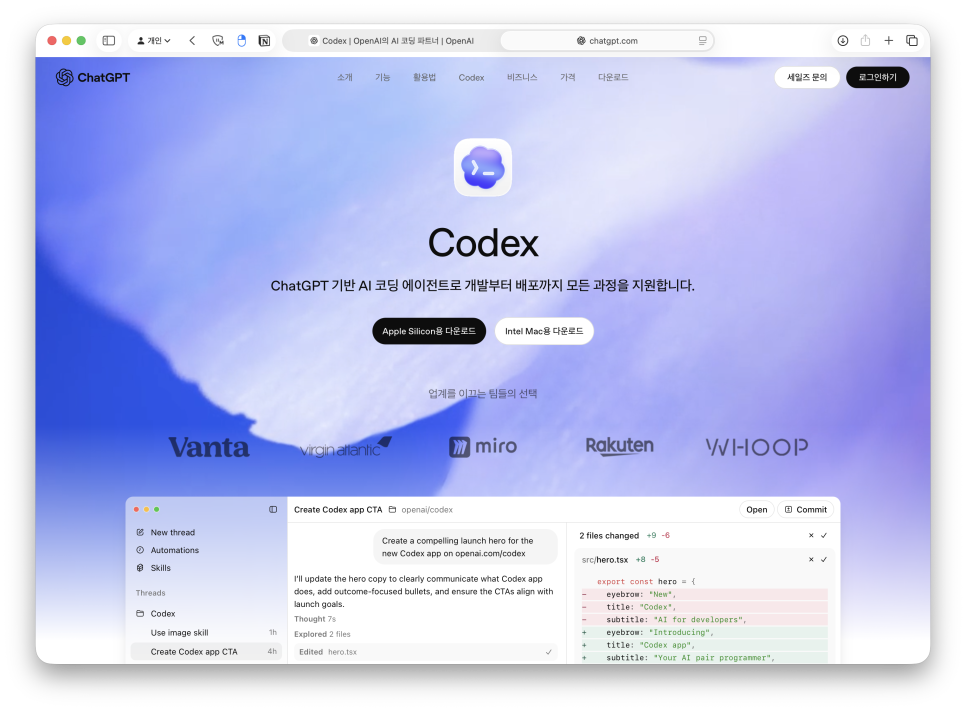
OpenAI describes Codex as an AI agent that helps write, review, and deploy code. The key word here isn’t just 'code' but 'agent.' An agent is a tool that understands the tasks given by users, reviews necessary materials, and autonomously operates within possible limits. Unlike typical AI chatbots that just answer questions, task-oriented AI can open files, edit contents, execute commands, and verify results in a continuous flow. Once you realize this difference, the recent buzz around Codex becomes easier to grasp.

So, how is it different from ChatGPT? ChatGPT excels at conversations. It’s convenient for organizing ideas, setting the tone of writing, or explaining unfamiliar concepts. I often use conversational AI when choosing blog titles or polishing sentences. By contrast, Codex works closer within a workspace environment – such as viewing a manuscript file to edit expressions, opening website files to change button texts, or generating reusable HTML and saving it. This connection to actual files sets it apart from purely verbal explanations.
.png?type=w966)
I recently renewed the KoreaMac website.
Though the name Codex makes you think of coding first, the core focus isn’t on code but on the workflow. When writing blog posts, there are multiple files created like the manuscript, images, reference materials, and reusable HTML. Organizing these files and reviewing them again can broadly be seen as task automation.
.png?type=w966)
While I was at it, I also created an English version for foreigners residing in South Korea.
Of course, it’s stronger when directly dealing with code. But even general users can apply it to rule-based tasks like organizing files, summarizing materials, document conversion, managing image lists, or repeatedly drafting content. So, you don’t need to approach Codex like a developer right from the start.
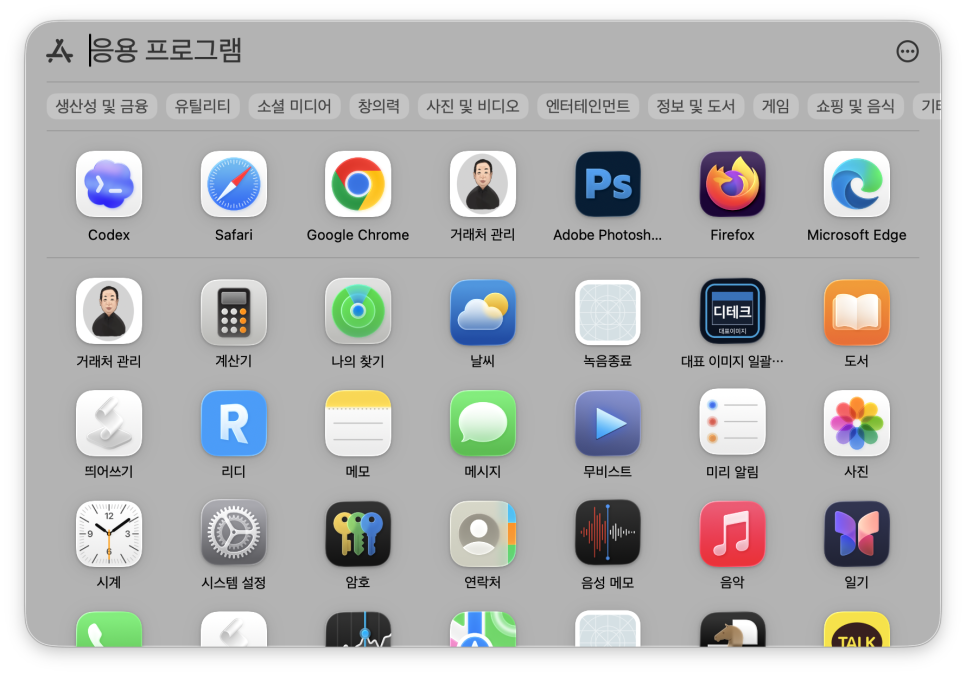
Here is an ERP system I personally developed.
For example, blog management follows a clear flow: decide the topic, review existing posts, write the draft, match word count, and even create HTML ready for posting. This process is similar every time but involves a lot of manual work.
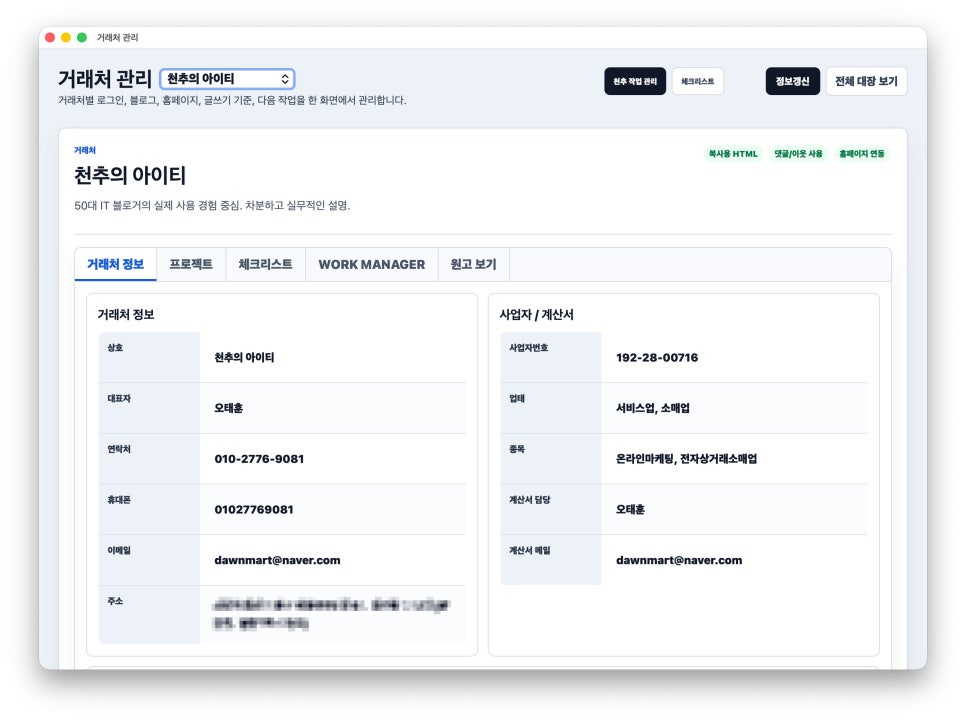
It’s uploaded on a Cafe24 server and works in real-time.
Using Codex here makes it easy to bundle repetitive steps into a single workflow. You decide where to save files, find existing drafts, and keep both the final and supplementary files together. It doesn’t just assist writing but extends to preparation before publishing.
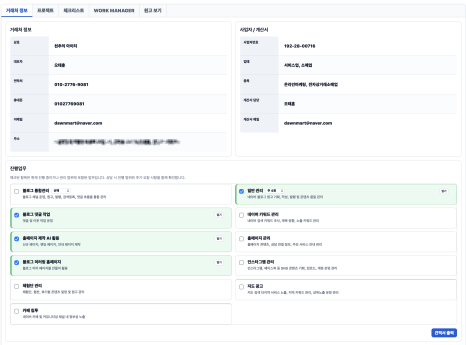
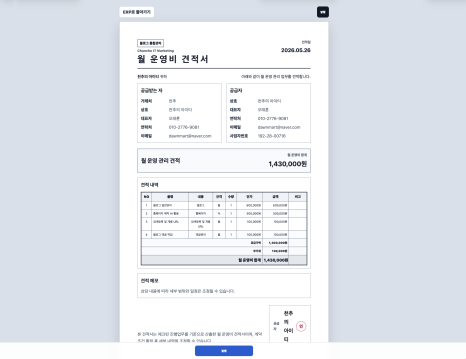
It can even generate automated quotes by selecting options and printing estimates.
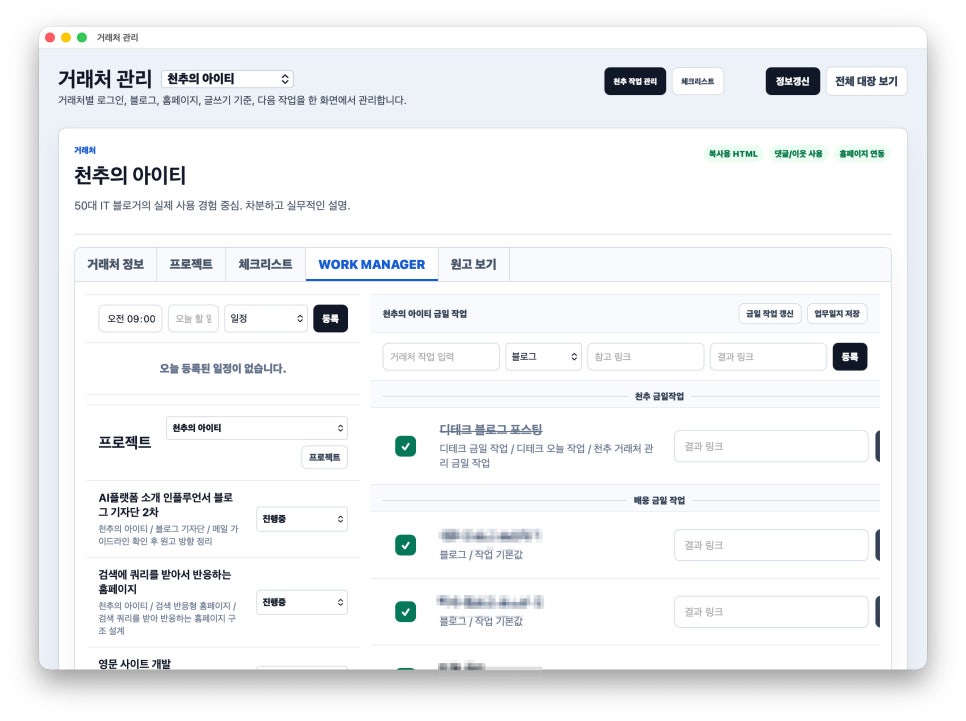
I also manage a brand blog service — handling everything from blog drafts to daily and weekly updates.
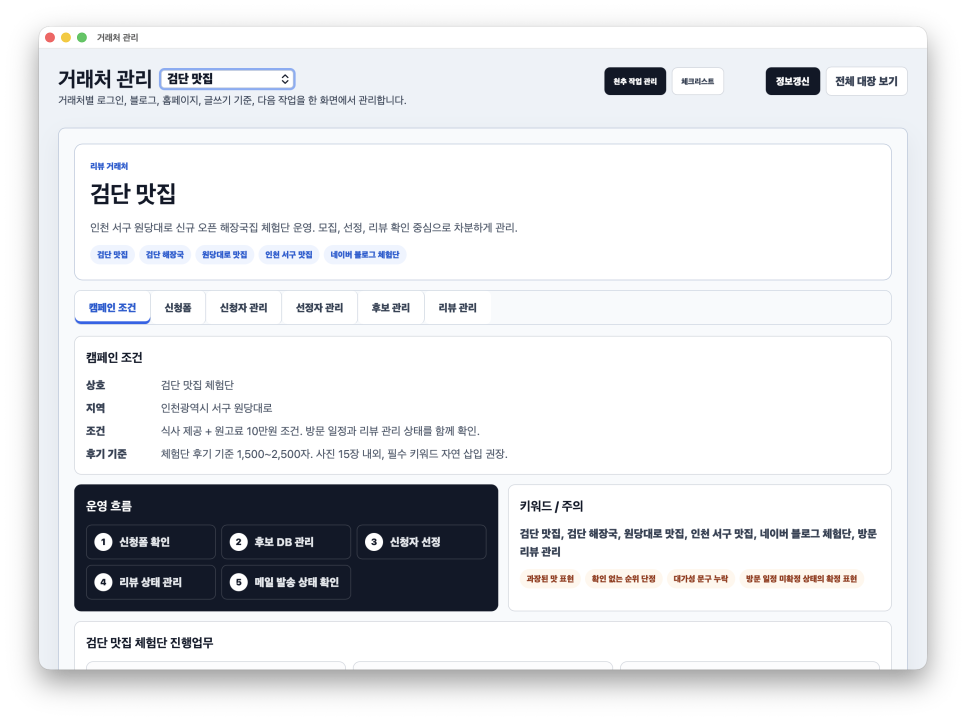
Although categorized as client management, it’s also used to run restaurant tasting events. Since it’s managed directly on the server, a wide range of tasks can be done in one app. Additionally, Codex running on a MacBook is linked so the AI agent takes the lead in operations.
The command 'Create a public demo for client management' generated a purely AI-created demo. It’s not linked to the database but gives a rough idea of the UI. Yet, some tasks still require human input.

While design and coding have become easier, planning and function design still take much more time.
This aspect turns out to be crucial. Just because AI handles tasks doesn’t mean humans disappear from the process. In fact, it remains essential to decide the direction, what to cut down, and whether the final output matches your tone. The same applies to Codex. Vague instructions can lead to messy results, and wrong premises can send it off track. So, it’s best to start with small tasks and review results rather than handing over everything at once.
Lately, I’ve spent a lot of time on automation. Things to watch for when first trying it out:

An interesting example is the website generated by Codex itself while running various test tasks on my server. When I asked it to create a website based on my current work, it produced a site reminiscent of early cloud styles, as some initial cloud generation commands left a trace. It’s better to start small with repetitive tasks rather than aiming for grand automation. For example, ask it to organize draft texts, fix expressions in files, or gather results in a project folder. Then test whether the flow remains consistent when you assign the same task again. Bloggers can verify if title candidates, body text, CTAs, hashtags, and word counts are processed consecutively. Website administrators should check that before-and-after file and screen changes are handled smoothly.

There’s no need to overcomplicate Codex. I don’t see it as just another programming tool. While powerful for development, it feels more like a sidekick helping with repetitive checks and organization tasks humans used to do. The human sets the direction, Codex reviews necessary files, and assists as needed. So, even if you don’t know coding, there’s no reason to avoid it. In fact, if your work involves repetitive tasks, many files, and frequent edits and checks, it’s worth trying. The key is developing a habit of breaking down tasks into smaller parts, regardless of the tool’s name. How beginners can see it: Codex isn’t an AI that just responds but an AI agent that works with your task files. If ChatGPT helps clarify ideas through conversation, Codex is closer to turning those ideas into actual work products. For me, the first thing I made was a mirror blog website for my blog to register on Google Search – essentially a blog archive site that sends RSS feeds to Google Search.
You don’t need to delegate everything from the start. Begin with small tasks like organizing drafts, summarizing materials, checking files, or simple website edits. After using it a few times, you’ll naturally notice the difference between treating AI like a question tool and incorporating it into your workflow. Currently, I’ve completed projects at two sites and am working on four simultaneously, all within less than a month of using Codex.