.jpg?type=w966)
These days on YouTube, there are many videos showing apps or websites being made instantly using AI. Some show how a menu app was created just by listing a few coffee types and using a simple one-page prompt. Of course, AI now handles much more than before. I also use Codex to build websites, fix blog management pages, organize files for server uploads, and even create internal management software. But when I use it in real work, one thing is clear.

This is me working on the coating. I’m running two computers in parallel.
It’s possible to create a decent-looking page with just one prompt. But completing a fully functional website that can be operated is a completely different matter.
Here’s why making websites with Codex was easier for me
I’ve organized the chat conversations I had while continuing work on the 'KoreaMac' homepage, which I paused during the weekday and resumed last Friday evening.
.png?type=w966)
I used to work at a web development company. I handled planning, coding, and some design work myself. Though my main role wasn’t solely design, I observed the entire website creation process continuously.
Before blogging, I was close to a project manager role at the website company. I communicated with clients to gather requirements, organized menus, relayed fixes to designers and developers, and wrapped up with final tweaks after delivery based on client feedback. Because of this background, building websites with Codex has been relatively easy for me—I already understood the necessary structure from the start, and could anticipate where issues might arise.
I started with HTML in Notepad. Open Notepad, define the document as HTML, save the file with an .html extension, and you have a web page. Add links and images, connect pages, and it becomes a website. This sounds simple from today’s perspective, but that’s essentially how websites began. On top of this structure, design, databases, admin panels, contact forms, and search functions gradually get attached, increasing complexity.
In the past, I used Zero Board heavily. I’d cut and use its database, pull necessary data, and create inputs or lists using API-like methods. Now Codex handles a large part of these tasks. That’s why Codex is convenient. Explaining to Codex is like explaining to a developer or designer — the communication is direct.
What I made with Codex in a month

This website is closely modeled after my blog.
First, many are most interested in the blog archive. I automated transferring blog content into web pages and registered the URLs with Google Search Console and Naver Search Advisor to enhance web search visibility.

I’ve only been using Codex seriously for about a month. But in that time, I’ve created quite a bit. I worked on my blog and website, and also built several client websites. To date, I've used Codex to create two to three client websites.
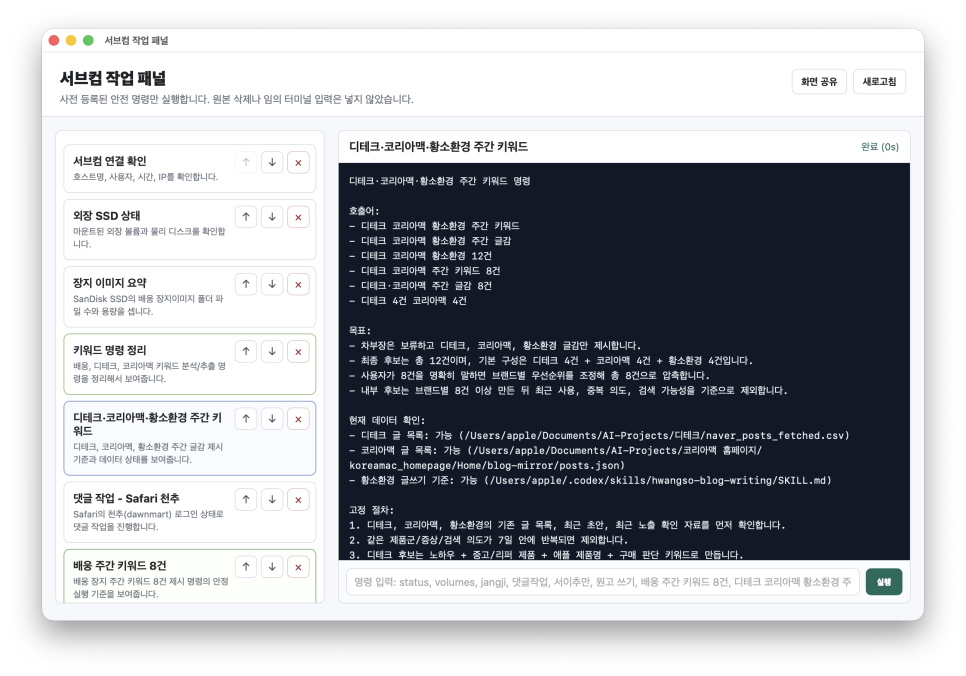
This panel controls Codex on my secondary computer. You can also see the automated Naver comment feature.
I also developed an app-like tool to manage the secondary computer. It allows sending tasks from the main computer and monitoring them on the secondary one.

Additionally, I created a client management solution. It’s an internal program hosted on a server where I manage schedules, client info, client-specific tasks, and checklists. When working solo, there are too many things to remember mentally, so such management tools become essential. These kinds of projects used to require hiring a separate developer or spending long hours coding myself. Now, I plan the structure, create files, deploy to the server, and fix errors while chatting with Codex until it’s done. Looking at this alone, it’s tempting to say, 'The era where AI builds everything has arrived.' But the story doesn’t end here.
What got faster versus what stayed the same
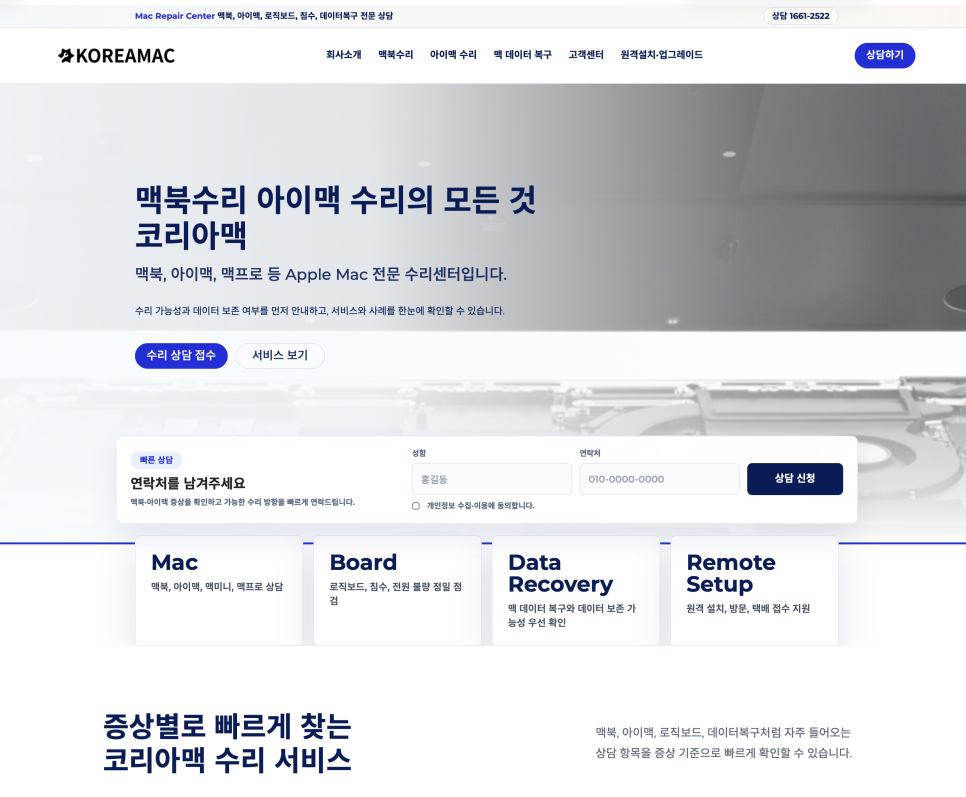
I add blog archive pages for search purposes to each website.
The biggest time reduction using Codex is in coding and design implementation. I’d estimate over a 90% cut in time for coding and UI work. Tasks developers handled before—input forms, list pages, admin panels, database connections, simple APIs—are now mostly handled by Codex. Design is similar: I describe the desired vibe or layout, and Codex writes the CSS, builds responsive structures, and even fixes some mobile display issues. However, some tasks don’t shrink—planning remains a human job. Deciding which menus are needed, what information to prioritize, the actual client’s needs, and what visitors should see or inquire about all require human judgment.

Organizing materials is still necessary. Sorting through photos provided by clients, deciding which products to show first, determining what content can be public or should be omitted—all these need attention. Client consultations remain as well, with numerous requests after completion like 'Please change this a bit,' 'Add a search box,' or 'Include one more field in the inquiry form.' Server upload and final UI checks are also needed. The display can differ between local and server environments, and mobile-only issues arise. In short, Codex reduces implementation time, but judging and verifying what makes a website fully ready still requires humans.
Reflections after creating a 400-page website

Recently, I worked on a fairly large website with nearly 400 pages. Building the basic framework took less time than I expected—about 2 and a half hours to get the fundamental structure in place. Viewed alone, this speed is remarkable. Previously, you’d need a designer, a developer, a content editor, and a manager to spend nearly a month on this work. But building the framework quickly doesn’t mean the website is done. Adding a search box, refining forms, fixing small bugs, and adjusting detailed content per page took more time—operational readiness added another couple of days easily. I also couldn’t work full days, usually spending two or three focused hours per day over several days, finishing most within a week. This is a huge improvement over the past. Tasks previously split among several people are now handled solo. But working alone means a single person oversees everything from A to Z. Although AI replaces much of the designer and developer work, it doesn’t eliminate the roles of project managers, planners, and quality reviewers. Website creation isn’t just about design and coding.

Many assume website production is only about design and coding—making screens look nice and buttons clickable seems like the end of it. But beyond that, many other tasks demand attention. You have to understand the client’s business, consider which search keywords visitors might use, decide what messages to highlight on the home screen, and coordinate contact phone numbers, KakaoTalk, forms, maps, product descriptions, and blog integration. Work continues even after completion. You might find images are too large, buttons get pushed down on mobile, or server paths are different. Each has to be checked and fixed one by one. Thus, website creation involves more than crafting screens; it’s about bringing the client’s information effectively online. Codex is an extremely powerful tool during this process, but without a guiding hand, you could end up with only a good-looking page that never gets fully usable.
What you can and can’t create with one prompt

There are things you can build with just one prompt—drafts of menu apps, simple landing pages, test admin panels, and basic input forms can all be quickly created. Explaining the screen layout and features to Codex produces fast results. But it’s tough to build websites reflecting real client data, deployable on a server, with SEO-optimized page structure, inquiry conversion-focused layouts, and maintainable admin panels with a single prompt. That’s because it’s more than just design—material organization, content structure, database storage methods, admin permissions, mobile views, server paths, backups, security, search visibility, and client update requests all factor in. Saying AI does everything is only half true. AI drastically reduces execution time, but humans must decide what to execute, how far to go, and what not to do.
About commands, harnesses, and skills
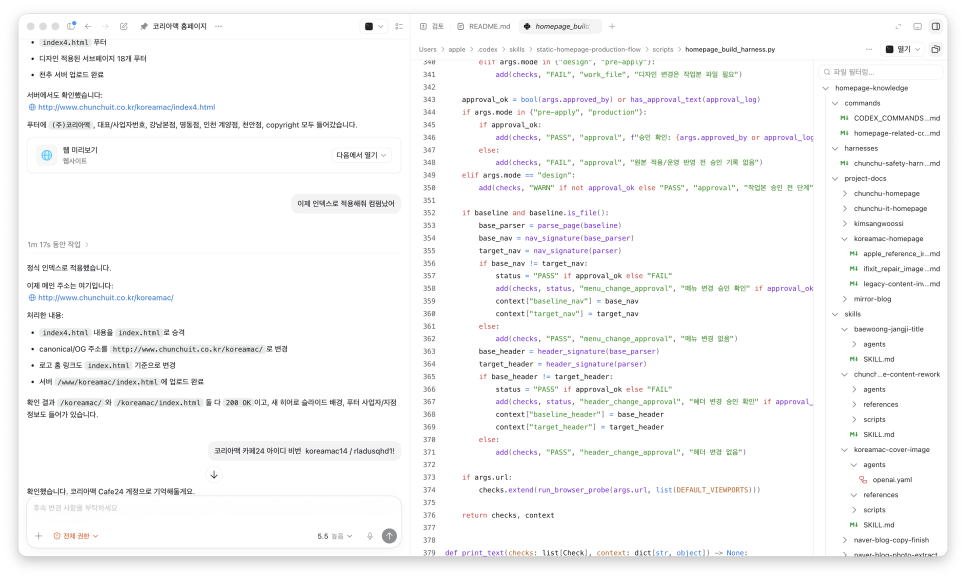
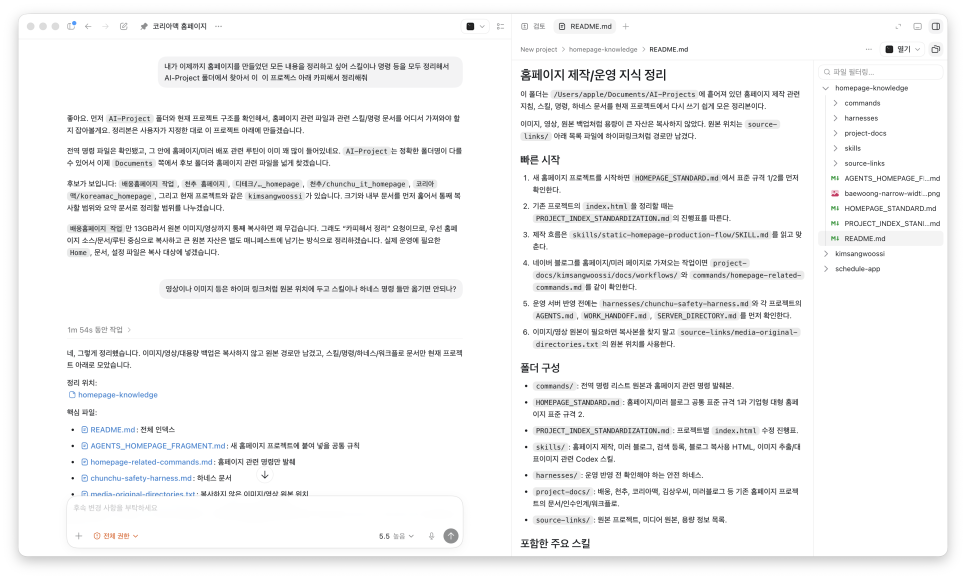
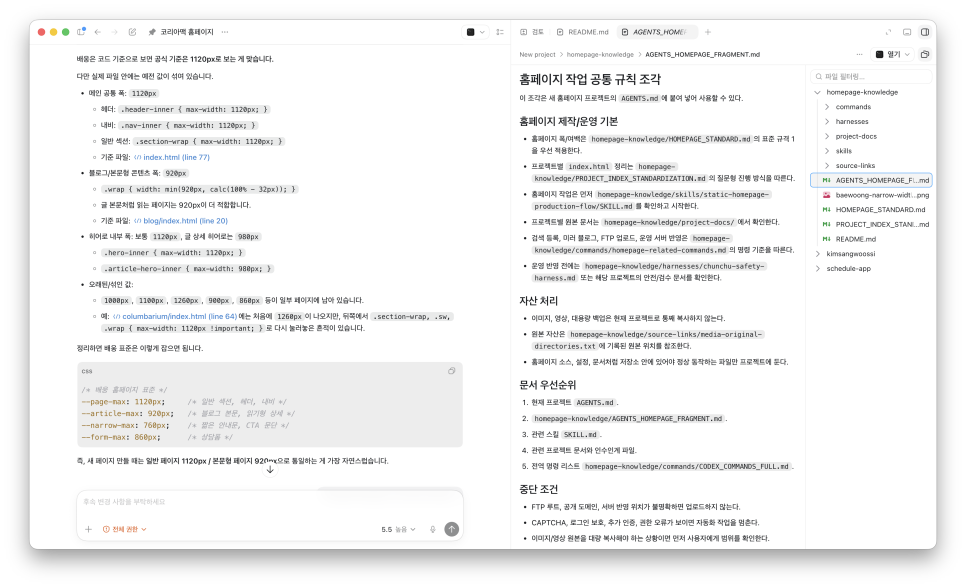
For sites with many subpages like KoreaMac, creating subpages causes AI to automatically generate menus, effectively applying a strong 'harness.'
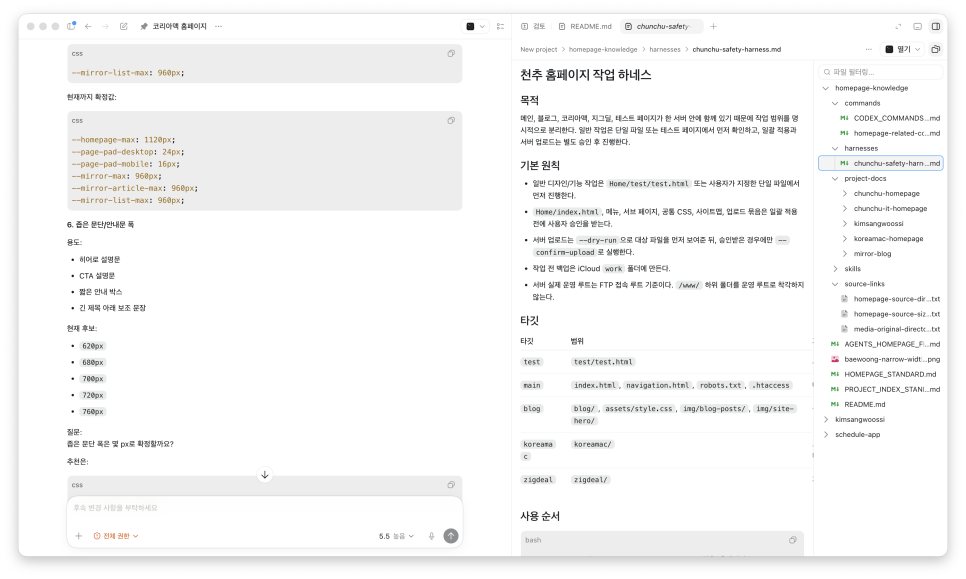
Commands are similar to instructions you’d give a developer, like 'Do it this way,' 'Don’t touch this part,' 'Don’t delete that file,' or 'Check again on mobile after completion.' These are essentially commands. It’s closer to engineering a workflow system that maintains quality even with ongoing edits. The harness that emerged from my work turned into a memo named Harness.ps in Markdown. The harness acts as a checklist to confirm if tasks were done correctly. Skills refer to procedural routines—steps repeated regularly. For example, after writing a blog post, creating reusable HTML, adding a feature image, uploading to the server, and checking the live display. Though the terms may be new, similar workflows existed before. The difference now is that humans don’t just memorize these processes but codify them as files and instructions readable by Codex.
To use Codex well, just speaking prompts isn’t enough.
.png?type=w966)
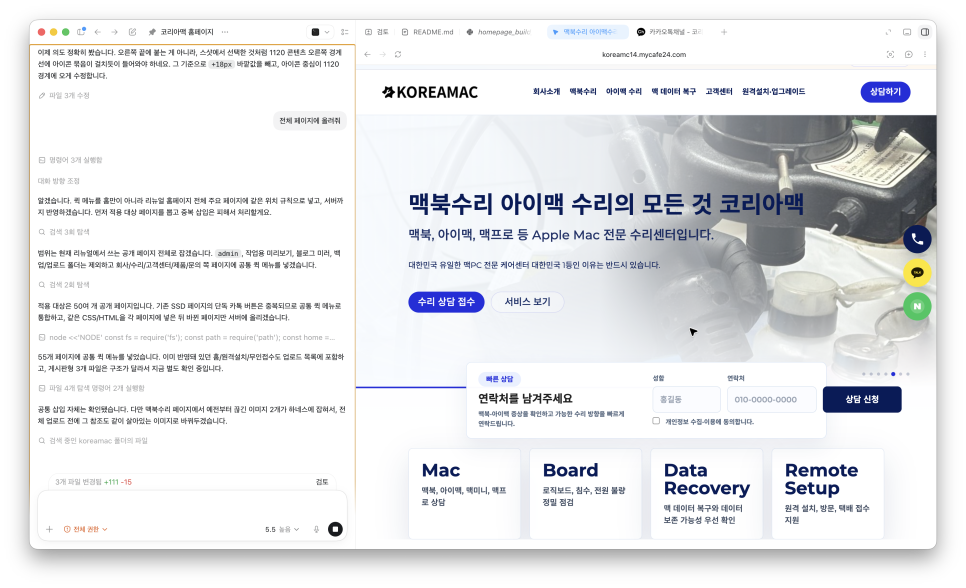
This screenshot was taken by Codex when I told it to look at the quick icon location.
Effectively using Codex involves breaking down work. Deciding which tasks Codex can handle, which require human attention, and when to halt automated processes—for instance, stopping before overwriting or deleting in website work, halting before clicking publish in blogging, or pausing for login issues and captchas when handling comments. The more you delegate to AI, the more important stopping conditions become. Preventing mistakes is more critical than just doing a lot.
Still, Codex has transformed website creation
.png?type=w966)
Even explaining with Photoshop, it understands quickly.
Codex has definitively changed how websites are built. Before, even with ideas, you needed to explain to developers, pass info to designers, receive revised versions, repeatedly update, and schedule extra development for new features. Now, you can try ideas instantly, upload to the server to test live, and fix issues on the spot. I’ve even been able to build internal admin tools and client management systems I previously postponed. Managing blogging, website building, and marketing simultaneously, this is a huge shift. Work volume increased, but implementation time shrank. However, describing this as 'done with just one prompt' causes misunderstandings because AI tasks and human tasks differ.
Conclusion
Making websites with Codex is certainly fast. You can deliver real results with fewer people and less time than before. But operational websites don’t end with a single prompt. Drafts and finished products are different. Screens created and tools usable for work are distinct. AI greatly reduces coding and design efforts, but it doesn’t eliminate planning, organizing materials, handling client needs, deploying to servers, checking, and maintenance. So I see Codex less as an all-in-one creator, and more like a lightning-fast executor. Humans set direction, standards, and stopping points, and Codex speeds up the work within those boundaries. It’s true that anyone can start with just an idea today. But bringing it to completion still requires knowledge. Understanding this difference is the key to effectively using Codex in real work.